找到
173
篇与
站长可乐
相关的结果
- 第 13 页
-
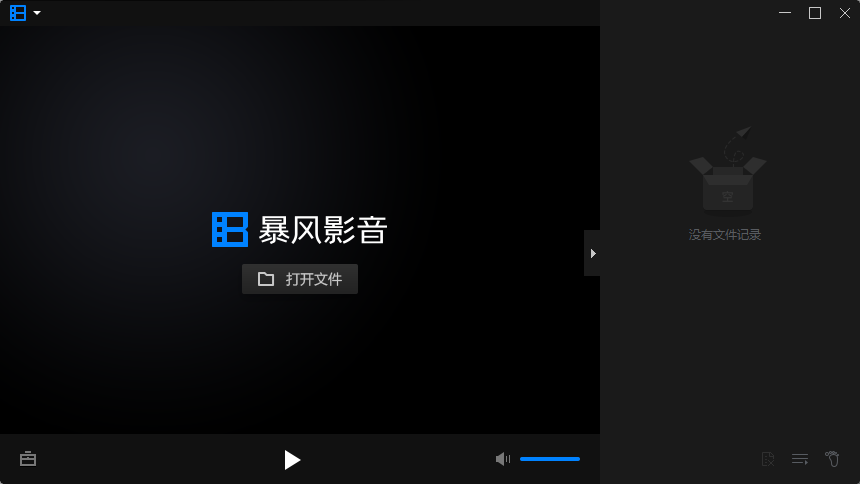
 文字转语音合成工具 VPot v2411 单文件版( 支持win 7 - 11 ) VPot(详情请戳 官网)是一款免费无广的文字转语音的工具,内置多语种多声音角色,可将任意文字内容转换为流畅的语音文件,完全调用微软及edge公共API接口,纯CPU处理,适用于譬如短视频配音、教学平台、有声读书等各种应用场景。如侵请删~~~ 虽然这类软件多的是,尤其是在线网页版确实不计其数,缺点都是限制字数的居多,不排除要登录及限制次数的可能。另外,某些真人克l类TTS也相当成熟,无奈老旧系统无缘,但这些均不在本帖讨论及推荐范围之内。 而此款并无以上束缚,u1s1这么多厂商的TTS当中唯有微软TTS的声音合成算是yyds,简洁而无登录接口,不限次数不限字数,实现不失真全输出,支持 win 7 – 11 64位系统 。近期更新,有需自取~~~ 软件特点 支持导入txt、srt字幕文件; 实现音频文件管理,方便反复试听和对比; 现可自选音频保存目录; 保留超长文本转录的可行性; 文件重命名不再受软件影响。 使用说明 单文件版即开即用即删,ctrl + v 粘贴对应的文字,合成语音成功后会自动弹出输出的音频结果。常用语种识别包括但不限于普通话、粤语、港普、台语、日韩马来等等,前提是部分外语文字要相应匹配。所以一般而言公共接口已经可以满足日常的转录使用了。文本越长,合成处理自然越久。 下载地址 点击下载:https://lightweb.lanzout.com/iB9aW2gqnhaf 2024-11-30T13:24:17.png图片
-
如何使用sql代码清空表,使重置id自增值 在 SQL 中,如果你希望重置一个表的自增值(通常是主键 id),你可以使用不同的方法,具体取决于你使用的数据库管理系统(DBMS)。以下是一些常见 DBMS 的示例: MySQL 在 MySQL 中,你可以使用 ALTER TABLE 语句来重置自增值。 -- 假设你的表名是 questions TRUNCATE TABLE questions; -- 清空表中的所有数据,同时重置自增值-- 或者,如果你不想清空表,但只想重置自增值,可以使用以下方法: SET @auto_increment_value = 1; ALTER TABLE questions AUTO_INCREMENT = @auto_increment_value;注意:TRUNCATE TABLE 会删除表中的所有数据并重置自增值,所以要小心使用。 PostgreSQL 在 PostgreSQL 中,你可以通过 ALTER SEQUENCE 语句来重置自增值。PostgreSQL 使用序列来管理自增列。 -- 假设你的表名是 questions,自增列是 id -- 首先找到与表关联的序列名,通常序列名是表名_列名_seq,但可以通过以下方式确认 SELECT pg_get_serial_sequence('questions', 'id'); -- 假设找到的序列名是 questions_id_seq ALTER SEQUENCE questions_id_seq RESTART WITH 1;SQLite 在 SQLite 中,你可以使用 sqlite_sequence 表来找到序列名,然后重置它。 -- 假设你的表名是 questions DELETE FROM sqlite_sequence WHERE name = 'questions';注意:SQLite 会在插入新记录时自动管理自增值,删除 sqlite_sequence 表中的相关记录即可重置自增值。 Microsoft SQL Server 在 SQL Server 中,你可以使用 DBCC CHECKIDENT 来重置自增值。 -- 假设你的表名是 questions DBCC CHECKIDENT ('questions', RESEED, 0); -- 下一个插入的记录的 id 将是 1,因为 0 + 1 = 1Oracle 在 Oracle 数据库中,通常使用序列来生成自增值。你可以使用 DROP SEQUENCE 和 CREATE SEQUENCE 来重置序列,或者简单地使用 ALTER SEQUENCE。 -- 假设你的序列名是 questions_seq DROP SEQUENCE questions_seq; CREATE SEQUENCE questions_seq START WITH 1 INCREMENT BY 1;-- 或者,如果你不想删除并重新创建序列,可以使用以下方法: ALTER SEQUENCE questions_seq RESTART START WITH 1; 注意事项备份数据:在执行这些操作之前,请确保备份你的数据,特别是使用 TRUNCATE TABLE 时。 影响:重置自增值可能会影响数据的完整性和引用完整性(如果其他表中有外键引用该表的主键)。 事务:在某些数据库系统中,重置自增值的操作可能是不可回滚的,所以请确保在事务外执行这些操作(如果适用)。
-
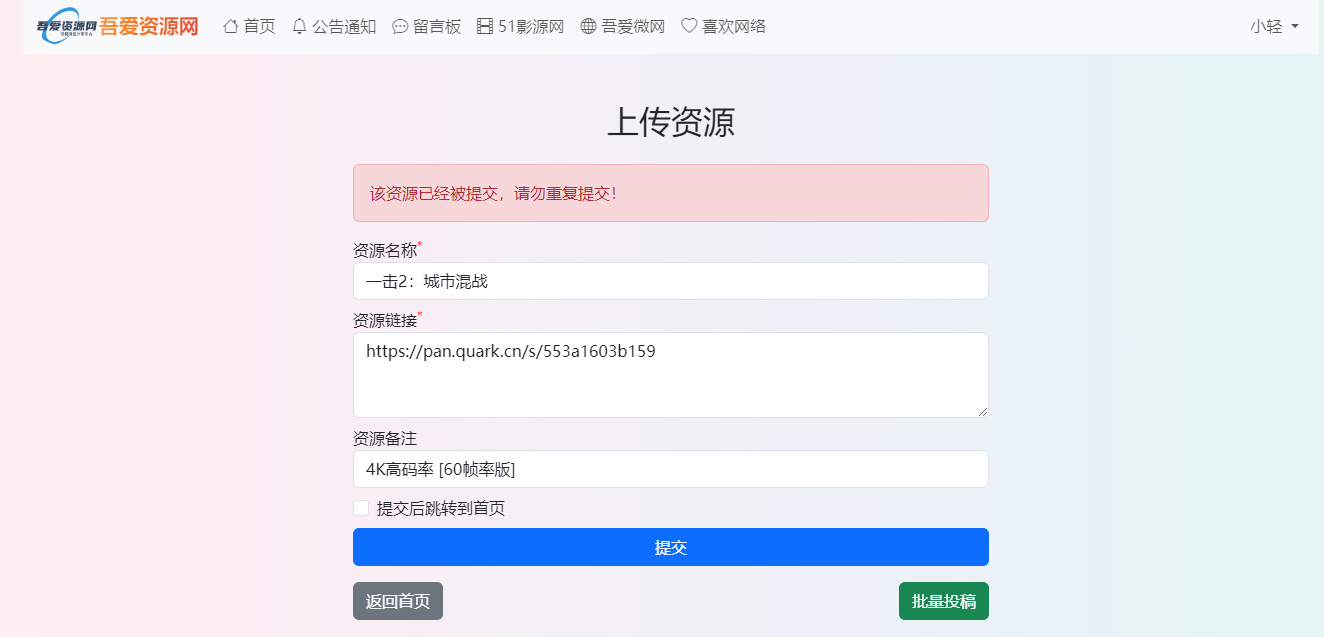
表单提交中的用户体验优化,数据保存与清理 在吾爱资源网的网站设计中,我在提交资源的页面,原本的设计是这样的: <form method="post"> <div class="form-group my-2"> <label for="name">资源名称<sup style="color:red;">*</sup></label> <input type="text" class="form-control" id="name" name="name" required> </div> <div class="form-group my-2"> <label for="yunurl">资源链接<sup style="color:red;">*</sup></label> <textarea class="form-control" id="yunurl" name="yunurl" rows="3"" required></textarea> </div> <div class="form-group my-2"> <label for="tips">资源备注</label> <input type="text" class="form-control" id="tips" name="tips" maxlength="50"> </div> <button type="submit" name="submit" value="submit" class="btn btn-primary btn-block w-100" id="submitBtn" <?php echo $success ? 'disabled' : ''; ?>>提交</button> </form>实现的效果就是判断是否满足我设置的条件,如果条件满足直接提交数据,否则提交按钮变成无效。提交后数据清空,不管是否成功,数据都会清理掉。但是我设置的条件中反馈一些错误提示,然后数据清零。比如会设置资源链接中是否包含链接,如果不包含,就提示链接有误,然后数据清理完了,这样其实体验比较差,应该是数据有误,就直接在原有基础上修改的。 我在原有的基础上第一,设置了input标签和textarea标签的数据保留,然后为了保证在提交成功后数据清理掉,我使用了提交成功的判断,这个方法其实在提交按钮上已经用过,这样设置的话,避免了使用后端处理比较麻烦。 <form method="post"> <div class="form-group my-2"> <label for="name">资源名称<sup style="color:red;">*</sup></label> <input type="text" class="form-control" id="name" name="name" value="<?php echo !$success && isset($_POST['name']) ? $_POST['name'] : ''; ?>" required> </div> <div class="form-group my-2"> <label for="yunurl">资源链接<sup style="color:red;">*</sup></label> <textarea class="form-control" id="yunurl" name="yunurl" rows="3" required><?php echo !$success && isset($_POST['yunurl']) ? htmlspecialchars($_POST['yunurl']) : ''; ?></textarea> </div> <div class="form-group my-2"> <label for="tips">资源备注</label> <input type="text" class="form-control" id="tips" name="tips" value="<?php echo !$success && isset($_POST['tips']) ? $_POST['tips'] : ''; ?>" maxlength="50"> </div> <div class="form-group my-2"> <div class="form-check"> <input type="checkbox" class="form-check-input" id="redirect" name="redirect"> <label class="form-check-label" for="redirect">提交后跳转到首页</label> </div> </div> <button type="submit" name="submit" value="submit" class="btn btn-primary btn-block w-100" id="submitBtn" <?php echo $success ? 'disabled' : ''; ?>>提交</button> </form>2024-10-20T11:42:23.png图片 大家在实操的时候,也要考虑到用户反馈,保证产品有更好的体验。
-
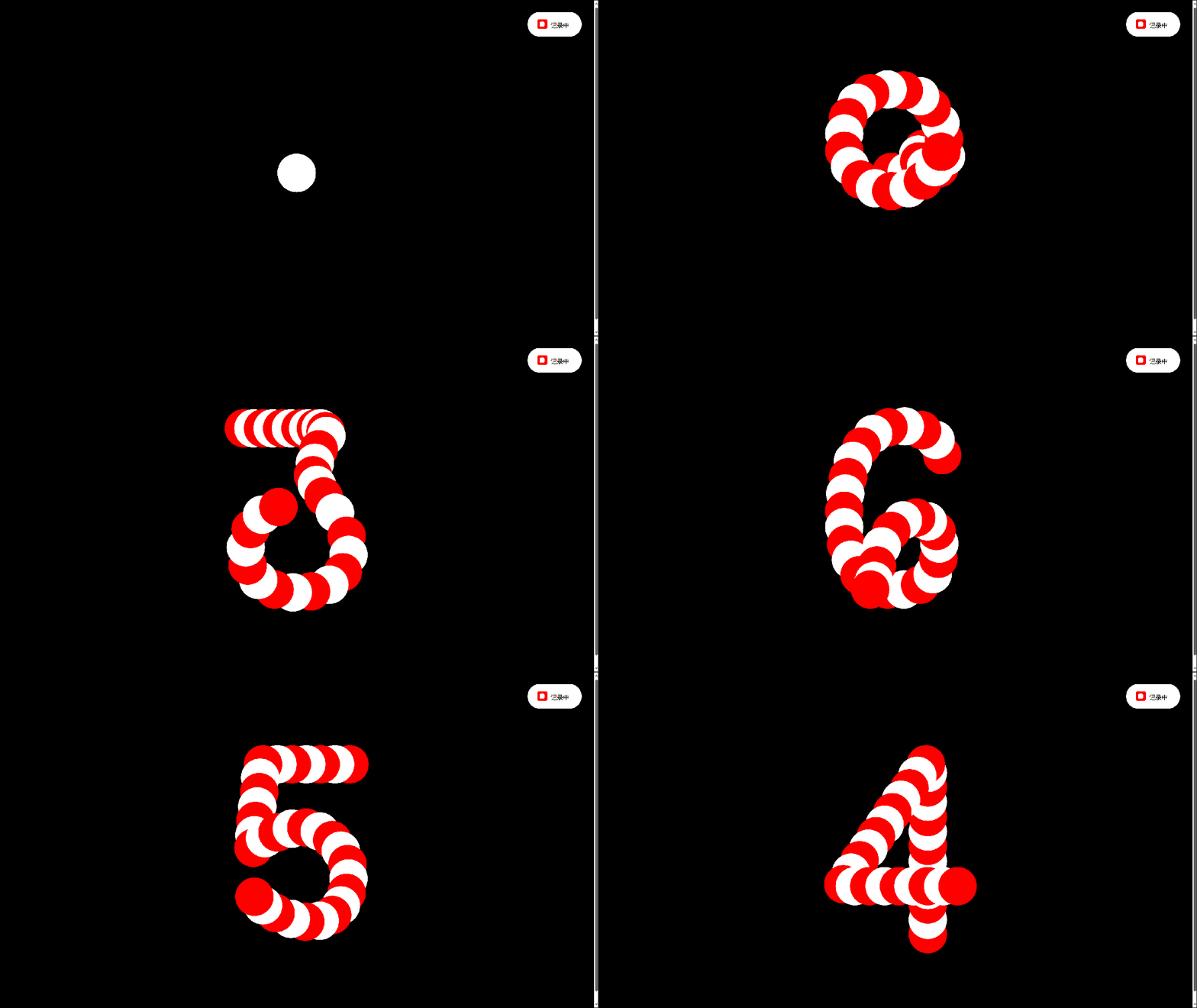
有趣的倒计时(可复制源代码) 比较有趣的倒计时效果,像贪吃蛇一样。 640.gif图片 <!DOCTYPE html> <html lang="en"> <head> <meta charset="UTF-8"> <meta name="viewport" content="width=device-width, initial-scale=1.0"> <title>有趣的倒计时</title> <script src="https://cdnjs.cloudflare.com/ajax/libs/gsap/3.9.1/gsap.min.js"></script> <script src="https://libs.baidu.com/jquery/2.1.4/jquery.min.js"></script> <style> body{height:100vh;display:flex;align-items:center;justify-content:center;background:#000000}.svg{width:400px}@media (max-height:400px){.svg{width:250px}}.svg .paths{display:none}.svg .circle{fill:#ffffff}.svg.gooey .circles{}.controller{position:fixed;top:20px;right:20px;color:#000;font-family:sans-serif;font-size:10px;text-transform:uppercase;padding:15px 20px 12px 15px;background:#fff;border-radius:20px}@media (max-height:400px){.controller{top:10px;right:10px}}.controller span{display:inline-block;position:relative;z-index:1}.controller span:before{content:"";position:absolute;top:-3px;left:-22px;width:16px;height:16px;background:red;border-radius:3px;-webkit-user-select:none;-moz-user-select:none;-ms-user-select:none;user-select:none;cursor:pointer}.controller span:after{content:"";background:#fff;position:absolute;z-index:1;top:1px;left:-18px;width:8px;height:8px;border-radius:2px;opacity:0;transition:opacity 0.2s ease-out}.controller input{opacity:0.01;height:0}.controller input:checked+span:after{opacity:1} </style> </head> <body> <svg viewbox="0 0 256 256" class="svg gooey"> <defs> <filter id="filter"> <fegaussianblur in="SourceGraphic" stddeviation="10" result="blur"></fegaussianblur> <fecolormatrix in="blur" mode="matrix" values="1 0 0 0 0 0 1 0 0 0 0 0 1 0 0 0 0 0 20 -14" result="filter"></fecolormatrix> <fecomposite in="SourceGraphic" in2="filter" operator="atop"></fecomposite> </filter> </defs> <g class="paths"> <path id="path_0" class="path" d="M185,131.2c0,25.5-5.1,45.6-15.4,60.3c-10.3,14.7-24.1,22-41.7,22c-17.5,0-31.4-7.3-41.5-22 c-10.1-14.7-15.2-34.8-15.2-60.3v-6.6c0-25.5,5.1-45.7,15.2-60.4C96.6,49.4,110.4,42,128,42c17.5,0,31.4,7.4,41.7,22.1 c10.3,14.8,15.4,34.9,15.4,60.4V131.2z"></path> <path id="path_1" class="path" d="M87.9,79.2c1.1-0.4,53.7-39.2,54.9-39.1v180.5"></path> <path id="path_2" class="path" d="M81.7,85.7c-1.4-67,112.3-55.1,90.2,11.6c-12.6,32-70.6,83.7-88.8,113.7h105.8"></path> <path id="path_3" class="path" d="M74.8,178.5c3,39.4,63.9,46.7,88.6,23.7c34.3-35.1,5.4-75.8-41.7-77c29.9,5.5,68.7-43.1,36.5-73.7 c-23.4-21.5-76.5-11.1-78.6,25"> </path> <path id="path_4" class="path" d="M161.9,220.8 161.9,41 72.6,170.9 208.2,170.9"></path> <path id="path_5" class="path" d="M183.2,43.7H92.1l-10,88.3c0,0,18.3-21.9,51-21.9s49.4,32.6,49.4,48.2c0,22.2-9.5,57-52.5,57 s-51.4-36.7-51.4-36.7"></path> <path id="path_6" class="path" d="M177.4,71.6c0,0-4.3-30.3-44.9-30.3s-57.9,45.6-57.9,88.8s9,86.5,56.2,86.5 c38.9,0,50.9-22.3,50.9-60.9c0-17.6-21-44.9-48.2-44.9c-36.2,0-55.2,29.6-55.2,58.2"></path> <path id="path_7" class="path" d="M73.3,43.7 177.7,43.7 97.9,220.6 "></path> <path id="path_8" class="path" d="M126.8,122.8c0,0,48.2-1.3,48.2-42.2s-48.2-39.9-48.2-39.9s-45.9,0-45.9,40.9 c0,20.5,18.8,41.2,46.9,41.2c29.6,0,54.9,18,54.9,47.2c0,0,2,44.9-54.2,44.9c-55.5,0-54.2-43.9-54.2-43.9s-0.3-47.9,53.6-47.9"> </path> <path id="path_9" class="path" d="M78.9,186.3c0,0,4.3,30.3,44.9,30.3s57.9-45.6,57.9-88.8s-9-86.5-56.2-86.5 c-38.9,0-50.9,22.3-50.9,60.9c0,17.6,21,44.9,48.2,44.9c36.2,0,55.2-29.6,55.2-58.2"> </path> </g> <g class="circles"></g> </svg> <div class="controller"> <label><input id="gooey" type="checkbox" checked=""> <span>记录中</span></label> </div> <a href="https://smalltool.github.io/" style="display:none;"></a> </body> <script> const $svg=document.querySelector('.svg');const $gooey=document.querySelector('#gooey');$gooey.addEventListener('change',()=>{$svg.classList.toggle('gooey')});const opts={num:31,radius:20};const init=()=>{const circles=document.querySelector('.circles');const namespace='http://www.w3.org/2000/svg';for(let i=0;i<opts.num;i++){const circle=document.createElementNS(namespace,'circle');circle.classList.add('circle');circle.setAttribute('r',opts.radius);circle.setAttribute('cx',128);circle.setAttribute('cy',128);circles.appendChild(circle)}let n=10;setInterval(()=>{n=n-1;animate(n);if(n===0)n=10},1200)};init();const animate=n=>{const paths=document.querySelectorAll('.path');const circles=document.querySelectorAll('.circle');if(!paths[n])return;const length=paths[n].getTotalLength();const step=length/opts.num;for(let i=0;i<opts.num;i++){const{x,y}=paths[n].getPointAtLength(i*step);gsap.to(circles[i],{cx:x,cy:y,ease:'power3.out',fill:i%2===0?'red':'white',delay:i*0.024})}};animate(); </script> </html>