
找到
169
篇与
站长可乐
相关的结果
- 第 2 页
-
 喜欢网络简报 2025年8月9日 星期六 1. 证监会:将继续严把发行上市入口关,不会出现大规模扩容的情况。 2. 工行、农行、建行等多家银行响应消费贷贴息,贴息标准多在1.5%左右。 3. 嫦娥六号月球样品最新研究成果发布:揭示月球背面月幔超还原状态。 4. 北京优化限购:符合条件家庭购买五环外住房不限套数。 5. 上海推女职工产假社保补贴政策:补贴用人单位50%,8月底可申请。 6. 山东养老服务消费补贴来了:不限户籍,60岁以上中重度失能可申领。 7. 2025世界人形机器人运动会下周启幕,将有280支队伍参赛。 8. 日媒:日本首相石破茂再次表明将继续留任。 9. 柬埔寨首相:已正式提名特朗普获诺贝尔和平奖。 10. 美国称悬赏5000万美元缉拿委内瑞拉总统马杜罗。 11. 以色列已批准占领加沙城计划,拟建立加沙新民事政府。 12.证监会严肃查处贵州辖区深交所主板上市公司*ST高鸿严重财务造假案件,对大唐高鸿罚款1.6亿元。 13.快手上线独立外卖入口,外卖商品二季度支付用户数环比增长超3倍。 【心语】无论遇见何种风景,都请欣然接受。用随遇而安的态度,过顺其自然的生活。
-
新加坡和马来西亚开展TikTok Shop 跨境电商业务需要外网和报白吗? 如果您计划在 新加坡和马来西亚 开展 TikTok Shop 跨境电商业务,以下是关键要点和操作指南: 1. TikTok Shop 跨境入驻基础要求 (1)是否需要外网(VPN)? 中国大陆商家: 由于TikTok Shop在部分国家(如东南亚)的卖家中心可能限制中国IP访问,可能需要VPN(如切换至新加坡/马来西亚IP)才能注册和运营。 风险提示:TikTok官方禁止使用VPN绕过地区限制,可能导致封号,建议用合规方式入驻(如通过跨境代理或本地公司)。 新加坡/马来西亚本地商家: 直接使用本地网络即可,无需VPN。 (2)是否需要“报白”? TikTok Shop的“报白”(白名单)通常指 特殊类目准入,但新马市场规则略有不同: 普通类目(如服饰、家居、美妆):无需报白,直接上架。 限制类目(如食品、保健品、电子烟): 需提交 相关认证(如马来西亚的MDA、新加坡的HSA许可)。 部分类目需申请 平台定向邀约(类似“报白”)。 2. 新加坡 & 马来西亚 TikTok Shop 入驻方式 (1)跨境卖家(无本地公司) 适用平台:TikTok Shop 跨境业务(如从中国发货至新马)。 要求: 中国大陆或香港公司营业执照。 跨境电商经验(如亚马逊、Shopee店铺流水)。 绑定 跨境收款账户(如Payoneer、万里汇)。 是否需要VPN: 中国大陆IP可能无法直接访问TikTok Seller Center(需切换至海外IP)。 (2)本地卖家(新加坡/马来西亚公司) 优势:无需VPN,可直接入驻,流量扶持更多。 要求: 本地公司注册(如新加坡ACRA或马来西亚SSM)。 本地银行账户(如DBS、Maybank)。 本地仓库或合作物流(如Ninja Van、J&T)。 3. 关键操作步骤 (1)注册TikTok Shop卖家账号 访问官网: 新加坡:https://seller.tiktokglobalshop.com 马来西亚:https://seller.tiktokglobalshop.com 选择入驻类型:跨境卖家 or 本地卖家。 提交资料:营业执照、法人身份证、店铺流水等。 (2)物流与支付 跨境模式: 使用TikTok官方物流(如TikTok Shipping)或第三方(如极兔国际)。 本地模式: 本地仓发货(如Lazada FBL、Shopee SLS)。 收款:绑定Payoneer、连连支付或本地银行账户。 (3)类目审核(如需“报白”) 如涉及特殊商品(如保健品、3C),联系TikTok客服或客户经理申请类目权限。 4. 风险与合规 VPN风险:TikTok可能检测IP变动,建议用固定海外IP或本地公司运营。 税务合规: 新加坡:需注册GST(如年销售额超100万新元)。 马来西亚:需申请SST(如年销售额超50万令吉)。 内容合规:避免宗教、政治敏感内容,符合新马广告法。 5. 建议方案 | 情况 | 推荐方式 | |----------|-------------| | 中国大陆卖家,无本地公司 | 用跨境模式+海外IP(谨慎VPN) | | 新加坡/马来西亚本地公司 | 直接本地入驻,无需VPN | | 销售限制类目(如食品) | 提前申请类目白名单 | 总结 是否需要VPN:中国大陆卖家可能需要,本地商家不用。 是否需要报白:普通类目不用,特殊类目需申请。 最佳路径:如有条件,建议注册新加坡/马来西亚公司,避免IP风险。 如果需要更具体的入驻流程或类目报白指导,可以提供您的业务模式(跨境/本地),我可以进一步细化方案!
-
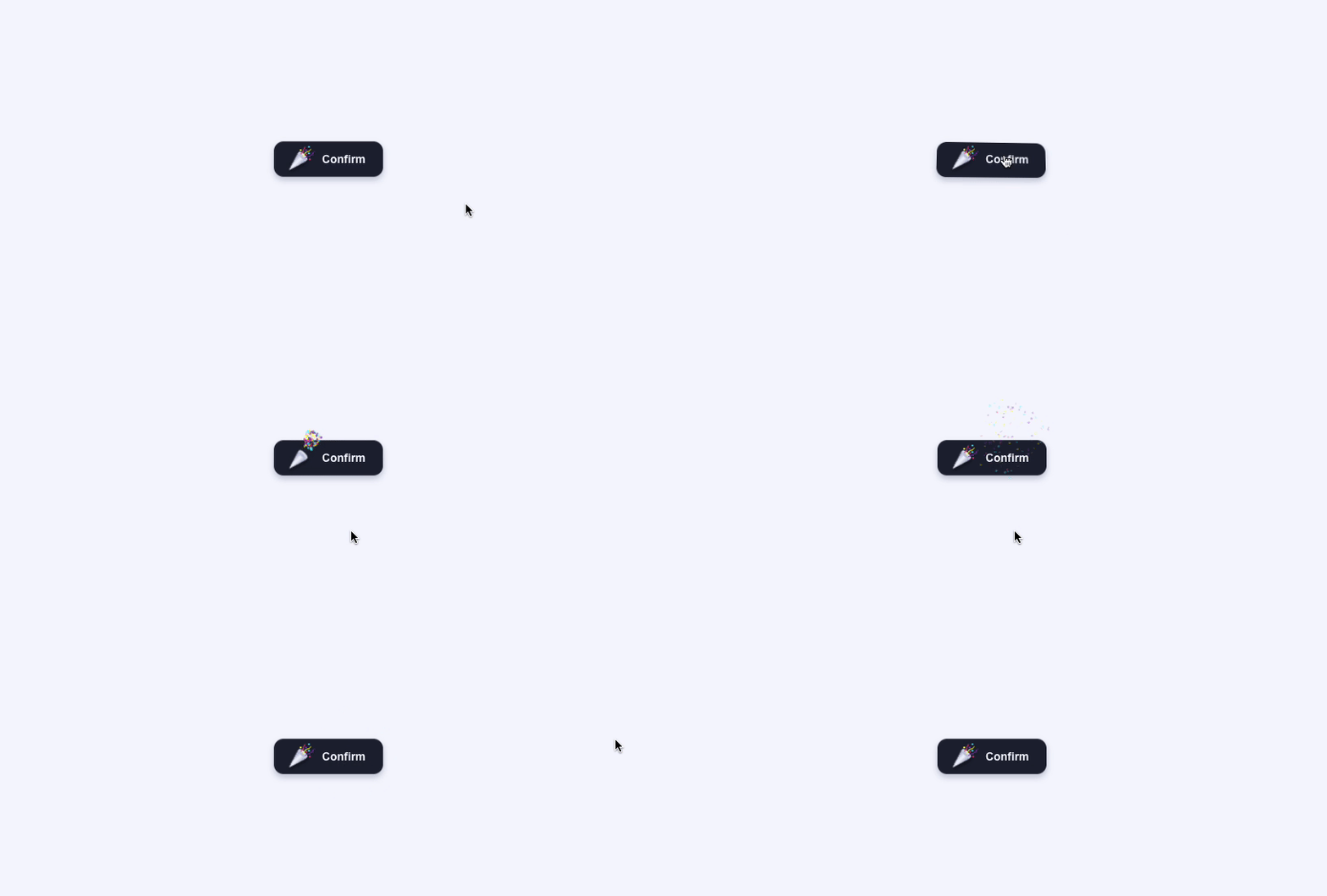
一个花里胡哨的确认按钮(可复制源代码) 640.gif图片 真的很不错! <!DOCTYPE html> <html lang="zh"> <head> <meta charset="UTF-8" /> <title>一个花里胡哨的确认按钮</title> <style>.button{ --background: #1e2235; --color: #f6f8ff; --shadow: rgba(0, 9, 61, 0.24); --cannon-dark: #a6accd; --cannon-light: #f6f8ff; --cannon-shadow: rgba(13, 15, 24, 0.9); --confetti-1: #892ab8; --confetti-2: #ea4c89; --confetti-3: #ffff04; --confetti-4: #4af2fd; --z-before: -6; display: block; outline: none; cursor: pointer; position: relative; border: 0; background: none; padding: 9px22px9px16px; line-height: 26px; font-family: inherit; font-weight: 600; font-size: 14px; color: var(--color); -webkit-appearance: none; -webkit-tap-highlight-color: transparent; transition: transform var(--transform-duration, 0.4s); will-change: transform; transform-style: preserve-3d; transform: perspective(440px) rotateX(calc(var(--rx, 0) * 1deg)) rotateY(calc(var(--ry, 0) * 1deg)) translateZ(0);} .button:hover{ --transform-duration: 0.16s;} .button.success{ --confetti-scale: 0; --stroke-dashoffset: 15;} .button:before{ content: ""; position: absolute; left: 0; top: 0; right: 0; bottom: 0; border-radius: 12px; transform: translateZ(calc(var(--z-before) * 1px)); background: var(--background); box-shadow: 04px8pxvar(--shadow);} .button.icon, .buttonspan{ display: inline-block; vertical-align: top; position: relative; z-index: 1;} .button.icon{ --z: 2px; width: 24px; height: 14px; margin: 8px16px00; transform: translate( calc(var(--icon-x, 0) * 1px), calc(var(--icon-y, 0) * 1px) ) translateZ(2px);} .button.icon.confetti{ position: absolute; left: 17px; bottom: 9px;} .button.icon.confettisvg{ width: 18px; height: 16px; display: block; stroke-width: 1px; fill: none; stroke-linejoin: round; stroke-linecap: round;} .button.icon.confettisvg *{ transition: stroke-dashoffset 0.2s; stroke-dasharray: 1520; stroke-dashoffset: var(--stroke-dashoffset, 0); stroke: var(--stroke-all, var(--stroke, var(--confetti-2)));} .button.icon.confettisvg *:nth-child(2){ --stroke: var(--confetti-3);} .button.icon.confettisvg *:nth-child(3){ --stroke: var(--confetti-1);} .button.icon.confetti.emitter{ position: absolute; left: 4px; bottom: 4px; pointer-events: none;} .button.icon.confetti.emitterdiv{ width: 4px; height: 4px; margin: -2px00 -2px; border-radius: 1px; position: absolute; left: 0; top: 0; transform-style: preserve-3d; background: var(--confetti-all, var(--b, none));} .button.icon.confettii{ width: 4px; height: 4px; display: block; transform: scale(var(--confetti-scale, 0.5)); position: absolute; transition: transform 0.25s; left: var(--left, -1px); top: var(--top, 3px); border-radius: var(--border-radius, 1px); background: var(--confetti-background, var(--confetti-3));} .button.icon.confettii:nth-child(2){ --left: 9px; --top: -1px; --border-radius: 2px; --confetti-background: var(--confetti-4);} .button.icon.confettii:nth-child(3){ --left: 5px; --top: 3px; --confetti-background: var(--confetti-1);} .button.icon.confettii:nth-child(4){ --left: 10px; --top: 14px; --confetti-background: var(--confetti-2);} .button.icon.confettii:nth-child(5){ --left: 9px; --top: 7px; --confetti-background: var(--confetti-4);} .button.icon.confettii:nth-child(6){ --left: 6px; --top: 8px; --border-radius: 2px; --confetti-background: var(--confetti-2);} .button.icon.cannon{ position: relative; width: 24px; height: 14px; transform: translate(0, 3px) rotate(-45deg); filter: drop-shadow(-2px2px2px var(--cannon-shadow));} .button.icon.cannon:before, .button.icon.cannon:after{ content: ""; display: block; height: 14px;} .button.icon.cannon:before{ background: linear-gradient( var(--cannon-dark), var(--cannon-light) 50%, var(--cannon-dark) ); width: 100%; -webkit-clip-path: polygon(25px -1px, 052%, 25px15px); clip-path: polygon(25px -1px, 052%, 25px15px);} .button.icon.cannon:after{ width: 6px; position: absolute; right: -3px; top: 0; border-radius: 50%; box-shadow: inset 0000.5pxvar(--cannon-light); background: linear-gradient( 90deg, var(--cannon-dark), var(--cannon-light) );} .button.white{ --background: #fff; --color: #1e2235; --border: #e1e6f9; --shadow: none; --cannon-dark: #103fc5; --cannon-light: #275efe; --cannon-shadow: rgba(0, 9, 61, 0.2);} .button.white:before{ box-shadow: inset 0001pxvar(--border);} .button.grey{ --background: #404660; --cannon-shadow: rgba(13, 15, 24, 0.2); --cannon-dark: #d1d6ee; --cannon-light: #ffffff;} html{ box-sizing: border-box; -webkit-font-smoothing: antialiased;} *{ box-sizing: inherit;} *:before, *:after{ box-sizing: inherit;} body{ min-height: 100vh; display: flex; font-family: "Inter", Arial; justify-content: center; align-items: center; background: #f6f8ff;} body.button{ margin: 012px;} body.dribbble{ position: fixed; display: block; right: 20px; bottom: 20px;} body.dribbbleimg{ display: block; height: 28px;} body.twitter{ position: fixed; display: block; right: 64px; bottom: 14px;} body.twittersvg{ width: 32px; height: 32px; fill: #1da1f2;} </style> </head> <body> <button class="button"><div class="icon"><div class="cannon"></div><div class="confetti"><svg viewBox="0 0 18 16"><polyline points="1 10 4 7 4 5 6 1" /><path d="M4,13 C5.33333333,9 7,7 9,7 C11,7 12.3340042,6 13.0020125,4" /><path d="M6,15 C7.83362334,13.6666667 9.83362334,12.6666667 12,12 C14.1663767,11.3333333 15.8330433,9.66666667 17,7" /></svg><i></i><i></i><i></i><i></i><i></i><i></i><div class="emitter"></div></div></div><span>Confirm</span></button> <script src="https://cdn.jsdelivr.net/npm/gsap@3.13.0/dist/gsap.min.js"></script> <script src="https://cdn.jsdelivr.net/npm/gsap@3.13.0/dist/Physics2DPlugin.min.js"></script> <script>document.querySelectorAll(".button").forEach((button)=>{ const bounding=button.getBoundingClientRect(); button.addEventListener("mousemove", (e)=>{ let dy=(e.clientY - bounding.top - bounding.height / 2) / -1; let dx=(e.clientX - bounding.left - bounding.width / 2) / 10; dy=dy >10 ? 10 : dy < -10 ? -10 : dy; dx=dx >4 ? 4 : dx < -4 ? -4 : dx; button.style.setProperty("--rx", dy); button.style.setProperty("--ry", dx);}); button.addEventListener("mouseleave", (e)=>{ button.style.setProperty("--rx", 0); button.style.setProperty("--ry", 0);}); button.addEventListener("click", (e)=>{ button.classList.add("success"); gsap.to(button,{ "--icon-x": -3, "--icon-y": 3, "--z-before": 0, duration: 0.2, onComplete(){ particles(button.querySelector(".emitter"), 100, -4, 6, -80, -50); gsap.to(button,{ "--icon-x": 0, "--icon-y": 0, "--z-before": -6, duration: 1, ease: "elastic.out(1, .5)", onComplete(){ button.classList.remove("success");},});},});});}); function particles(parent, quantity, x, y, minAngle, maxAngle){ let colors=["#FFFF04", "#EA4C89", "#892AB8", "#4AF2FD"]; for (let i=quantity - 1; i >=0; i--){ let angle=gsap.utils.random(minAngle, maxAngle), velocity=gsap.utils.random(70, 140), dot=document.createElement("div"); dot.style.setProperty( "--b", colors[Math.floor(gsap.utils.random(0, 4))] ); parent.appendChild(dot); gsap.set(dot,{ opacity: 0, x: x, y: y, scale: gsap.utils.random(0.4, 0.7),}); gsap .timeline({ onComplete(){ dot.remove();},}) .to( dot, { duration: 0.05, opacity: 1,}, 0 ) .to( dot, { duration: 1.8, rotationX: `-=${gsap.utils.random(720, 1440)}`, rotationZ: `+=${gsap.utils.random(720, 1440)}`, physics2D:{ angle: angle, velocity: velocity, gravity: 120,},}, 0 ) .to( dot, { duration: 1, opacity: 0,}, 0.8 );}} </script> </body> </html>
-
程序员财务自由幻觉图鉴 1. "等公司上市就好了" 2016年加入创业公司时,CEO拍着我肩膀说: "现在工资是低了点,但等B轮融资后..." 2018年B轮了,他说:"等C轮估值上去..." 2020年终于上市了——我的期权刚好够买公司纪念品商店里的一个马克杯。 2. 程序员的财富幻想进化史 阶段1:接私活暴富 学生时代觉得"会写代码=印钞机" 第一次接外包:仿今日头条,预算5000块 结局:甲方要加"小小小功能",工时翻三倍 阶段2:等期权变现 每天查公司估值像查股票 学会新词:"行权价"、"锁定期"、"资本利得税" 最后发现税后还不够买厕所一平米 阶段3:加密货币 2017年错过比特币(觉得是骗局) 2021年错过狗狗币(觉得是玩笑) 2023年冲进屎币——终于成功被割 阶段4:知识付费 录了《21天成为全栈工程师》课程 销量主要靠亲朋好友友情支持 算上录制时间,时薪不如麦当劳打工 3. 那些年我们信过的财富神话 传说1:"有个前辈早年加入阿里..." 现实:你加入的是"阿里系"创业公司 区别相当于正版孙悟空和景区cosplay 传说2:"我朋友炒币赚了千万" 现实:他忘了说后来亏了两千万 以及他所谓的"炒币"其实是传销 传说3:"技术大牛都靠接咨询发财" 现实:你接到的咨询都是 "帮我侄子看下毕业设计" "简单做个淘宝那样的网站" 4. 财务自由等级对照表 | 等级 | 描述 | 实现方式 | |------|------|----------| | 幻觉级 | 植发自由 | 年终奖够做一次FUE | | 入门级 | 显卡自由 | 买RTX4090不眨眼 | | 进阶级 | 外卖自由 | 点餐敢选"无需凑单" | | 终极级 | 离职自由 | 存款够骂老板后裸辞 | (大部分人卡在"星巴克自由"和"打车自由"之间) 5. 可乐的破产经验谈 (1) 那些亏钱的骚操作 跟风买矿机(到货时矿难了) 投资朋友"绝对靠谱"的区块链项目(后来他失联了) 炒股(把技术分析学成了玄学) (2) 唯一赚到钱的项目 老实写代码领工资 虽然无聊,但比炒币踏实 (3) 血泪教训 当你听说某个"稳赚"的机会时,已经晚了 程序员最容易犯的错:以为技术好=投资厉害 真实财富密码:有个富二代室友/前同事/同学 6. 当代程序员财富焦虑解决方案 方案1:降低标准 把"财务自由"重新定义为"外卖自由" 发现瞬间就实现了 方案2:转移焦点 关注"时间自由"而不是"财富自由" 比如争取远程工作,省下通勤时间 方案3:创造副业 写技术博客(虽然赚不到钱但能装逼) 做开源项目(虽然倒贴钱但能镀金) 方案4:终极解法 卸载所有财经APP 屏蔽那些"成功上岸"的前同事朋友圈 专注写代码,等35岁被优化时再说 7. 残酷真相 用Python分析了身边100个"财务自由"案例: 80%靠家里拆迁/继承家产 15%是早期加入巨头公司的幸运儿 5%是真正的创业成功者(其中4个已秃) 最终觉悟: 我们这代人注定在"等公司上市"和"等老家拆迁"之间反复横跳。 (所以还是先把今天的代码提交了吧) (完) 下期预告 《程序员年龄焦虑实录:从"少年天才"到"大龄码农"》 那些25岁当CTO和35岁送外卖的故事 技术更新的速度 vs 头发掉落的速度 如何让自己在年轻同事面前不显得像出土文物 (想看扣⌨️,让我看看多少同行开始焦虑了)
-
程序员相亲指南:从"我修电脑的"到"我搞算法的" 1. "你是做什么工作的?" 这道送命题 第一次相亲,我老实回答:"我是程序员。" 对方眼睛一亮:"太好了!我电脑特别卡..." 第二次相亲,我改口:"我是搞算法的。" 对方若有所思:"就是抖音那种让人上瘾的?" 第三次相亲,我直接说:"我是做人工智能的。" ——终于成功把天聊死了。 2. 技术直男相亲翻车现场 场景一:约会地点选择 ❌ "我知道有家网吧环境不错..." ✅ "我订了VR体验馆的双人套餐"(虽然最后还是去网吧开黑了) 场景二:聊天话题 ❌ "你知道TCP三次握手吗?" ✅ "你平时刷短视频多吗?其实推送算法..."(强行拐回舒适区) 场景三:形象管理 ❌ 格子衫+双肩包+三天没洗的头 ✅ 黑色hoodie+MacBook Air(假装不经意露出苹果logo) 3. 程序员相亲简历优化指南 | 真实情况 | 简历写法 | |----------|----------| | 修bug的 | 分布式系统稳定性工程师 | | 写CRUD的 | 企业级应用架构师 | | 调参的 | 机器学习算法专家 | | 删库跑路的 | 前数据中心安全顾问 | 特别技巧: 在自我介绍里加一句"偶尔写技术博客"(即使你上次更新是2018年) 4. 相亲市场技术栈鄙视链 顶层: 量化交易(听起来像能赚大钱) 自动驾驶("下一个Elon Musk"光环) 中层: 人工智能(已从神坛跌落,但还有余温) 区块链(解释不清但感觉很厉害) 底层: 前端开发("就是做网页的吧?") 测试工程师("你们是不是专门找bug的?") 地狱级: "我在家接外包" "目前待业,但有个很棒的创业idea" 5. 当约会遇上线上故障 真实故事: 烛光晚餐刚上菜 企业微信报警:生产环境挂了 掏出笔记本当场改代码 对方感动地说:"你工作的样子好专注..." 第二天收到信息:"我觉得你更爱你的电脑" 6. 来自可乐的保命建议 (1) 话题黑名单 解释什么是前后端分离 吐槽产品经理的奇葩需求 展示你的机械键盘收藏 (2) 形象急救包 常备一件纯色衬衫在办公室 学会用发蜡(至少约会前洗头) 把"我平时就爱宅着"改成"我享受深度思考的独处时光" (3) 终极话术 当被问"你们是不是都很木讷"时: "我们只是习惯用二进制思考——要么0,要么1。但对你,我想试试浮点数。" (慎用,可能收获白眼或心动) 7. 残酷真相 最近用Python分析了相亲数据: 提到"年薪"时回复率提升200% 提到"加班"时对话结束概率80% 提到"期权"的效果取决于对方知不知道这可能是废纸 最终觉悟: 与其在相亲市场被算法匹配,不如自己写个推荐系统。 (但写着写着发现,还是和代码谈恋爱比较单纯) (完) 下期脑洞 《程序员财务自由幻觉图鉴》 从"等公司上市"到"接外包暴富"的幻想演变史 那些年我们错过的比特币和狗狗币 终极真相:其实只想赚够植发钱 (想看扣💰,让我看看多少同行还在做暴富梦)
-
程序员养生指南:从枸杞保温杯到电子针灸 1. "年纪轻轻就开始养生?" 上周团队来了个00后实习生,看到我工位上的装备后发出灵魂拷问: 升降桌(调到最高站着写代码) 护眼仪(午休时像戴个VR眼镜) 分装药盒(维生素B+护肝片) 他憋了半天问:"可乐哥...您今年贵庚?" 我默默按下电动升降桌的下降按钮:"这叫未雨绸缪,等你debug到凌晨三点就懂了。" 2. 工位养生装备大赏 青铜段位:基础生存包 枸杞保温杯(中年程序员的入场券) 颈椎按摩仪(skg基础款,用久了会积灰) 防蓝光眼镜(实际用途:掩饰黑眼圈) 黄金段位:硬核朋克养生 电子针灸贴片(写着写着代码突然开始电自己) 血糖监测手表(用来发现咖啡因摄入超标) 便携式吸氧瓶(冲刺上线时使用) 王者段位:赛博修仙 脑电波监测头环(号称能提升专注力) 红外线理疗腰带(边修复腰椎边coding) 智能药盒(蓝牙连接手机提醒吃药) 3. 那些年我们交过的养生智商税 踩雷清单: 石墨烯内裤(宣称防辐射,实际只是贵) 量子波动速读U盘(插电脑上屁用没有) 程序员专用能量手环(就是LED灯会闪) 幸存清单: 人体工学椅(真的能救老腰) 升降桌(站坐交替确实舒服) 褪黑素软糖(失眠时比数羊管用) 4. 硅谷生物黑客 vs 中关村朋克养生 流派硅谷玩法中关村玩法提神防弹咖啡+莫达非尼红牛泡枸杞监测全天候血糖仪+脑电波头环小米手环测睡眠治疗高压氧舱+冷冻疗法盲人按摩+拔火罐终极目标活到120岁还能写代码35岁前别猝死就行5. 可乐的实用养生技巧 (1) 办公室微运动 每小时代码评审时做颈椎操(动作要自然,像在思考) 上厕所走最远的那个坑位(强行增加步数) 用深蹲姿势捡掉落的U盘(一举两得) (2) 饮食黑客 把维生素分装进药盒(看起来像资深病号) 点外卖时备注"少油少盐"(然后配着辣条吃) 下午茶换成坚果(但薯片也在抽屉里备着) (3) 心理按摩 设置"假下班"闹钟(18点准时关显示器发呆5分钟) 在IDE里装彩虹括号插件(保护心理健康) 把产品经理需求文档打印出来当减压玩具 6. 当养生遇上deadline 真实场景: 养生闹钟响起:"该做眼保健操了" 看了眼未解决的bug 长按闹钟关闭:"今天先养死,明天再养生" 7. 终极觉悟 最近体检报告显示: 颈椎曲度变直 轻度脂肪肝 维生素D缺乏 医生建议:"少熬夜多运动" 我的改进方案: 换了更贵的护颈枕 买了能监测睡眠的手环 把熬夜改叫"错峰养生" 毕竟—— 只要保养做得早,35岁还能跑得动 (跑路转行的跑) (完) 下期预告 《程序员相亲指南:从"我修电脑的"到"我搞算法的"》 技术直男如何包装LinkedIn式相亲简历 第一次约会该穿格子衫还是hoodie 当对方问"你具体是做什么的"时的艺术回答 (想看扣❤️,让我看看多少同行需要抢救感情生活)
-
程序员穿搭指南:从格子衫到hoodie的进化史 1. 程序员衣柜的终极之谜 上周搬家时,我发现自己拥有: 7件不同配色的格子衫(红黑/蓝白/黑灰...) 5件印着技术大会logo的T恤 3条"弹性适中"的牛仔裤 1套"面试专用"西装(吊牌还没拆) 最可怕的是——这些衣服组合起来,竟然能完美搭配我过去三年的所有工作日。 2. 程序员时尚进化树 石器时代(学生时期) 标配:动漫T恤 + 大裤衩 + 拖鞋 信条:"穿得越随意,代码越牛逼" 致命伤:实习面试时被误认为是来修空调的 青铜时代(初入职场) 觉醒:买了人生第一件格子衫 信条:"要看起来像个正经工程师" 副作用:和同事撞衫率高达80% 黄金时代(大厂时期) 进化:连帽卫衣 + Air Jordan 信条:"舒适即正义" 隐藏技能:hoodie帽子能完美遮住三天没洗的头 赛博时代(远程办公) 终极形态:上半身衬衫(视频会议用) + 下半身睡裤 信条:"反正你们看不到我的腿" 最新发现:Zoom虚拟背景连睡衣都能遮 3. 为什么我们痴迷hoodie? 科学解释: 帽子:随时进入"勿扰模式" 口袋:能装下手机+钥匙+AirPods 材质:适合16小时连续穿着 玄学解释: 黑色hoodie + 机械键盘 = 黑客电影氛围感 灰色hoodie + 咖啡杯 = 资深架构师范儿 白色hoodie(保持干净版)= "我有对象帮我洗衣服" 4. 大厂穿搭密码解析 公司标配穿搭隐藏信息硅谷某大厂公司logo卫衣 + Allbirds"我司福利好到发衣服"国内大厂APolo衫 + 工牌绳"随时准备被拉去开会"国内大厂B文化衫 + 冲锋衣"我司加班到凌晨很正常"创业公司创始人同款黑T"我和CEO关系铁"5. 程序员穿搭的三大禁忌 (1) 正装陷阱 除非你是CTO见投资人 否则西装革履写代码的样子像被HR绑架来的 (2) 新鞋诅咒 穿新鞋那天必出生产事故 玄学解释:新鞋影响debug气场 (3) 发型诈骗 视频面试用虚拟背景+美颜 入职后发现真人发量差距过大 后果:被同事问"你是不是有个双胞胎兄弟来面试的?" 6. 远程办公的终极穿搭方案 基础版: 上半身:衬衫(挂椅背上备用) 下半身:睡裤 脚部:袜子(左右不同款也没关系) 进阶版: 买件假领子衬衫(只露领子那种) 搭配睡袍食用效果更佳 终极版: 直接使用Zoom虚拟西装 配合"专业办公室"背景 实际穿着:恐龙连体睡衣 7. 时尚的尽头是返璞归真 最近发现湾区大佬们的终极穿搭秘密: 扎克伯格的灰色T恤($300/件) 乔布斯的黑色高领(三宅一生定制) 我的红色格子衫(双十一满减凑单品) 顿悟时刻: 当你的代码足够牛逼,穿什么都是时尚。 (不过在那之前...还是先把这件穿了三天的hoodie换了吧) (完) 下期脑洞 《程序员养生指南:从枸杞保温杯到电子针灸》 那些年在工位见过的奇葩养生装备 如何优雅地在代码评审时做颈椎操 硅谷流行的"生物黑客"是智商税吗? (想看扣💻,养生朋克们让我看到你们的双手)
-
程序员防脱发指南:从洗发水到植发报价 1. 从"Hello World"到"Hello Bald" 上周同学聚会,发现我们计算机系的毕业照简直是个预言: 前排:发量王者(转行做产品的) 中排:发际线守卫者(做测试的) 后排:反光担当(我们这些写核心代码的) 最扎心的是,学土木的老同学拍着我肩膀说:"你们IT行业脱发比我们工地还严重啊!" 2. 程序员头发消失的五大原因 (1) 脑力过载 每个bug消耗500根头发 看到undefined is not a function时掉发速度+300% (2) 熬夜守恒定律 深夜coding效率越高 头发离开头皮的速度越快 (3) 咖啡因依赖 每天三杯咖啡保效率 副作用是让毛囊也"996" (4) 压力性薅头发 debug时的标准动作: 皱眉 抓头发 发现手里有根断发 压力更大 (5) 祖传代码的诅咒 每维护一行祖传代码 发际线后退0.01毫米 3. 那些年我们交过的"智商税" 阶段一:玄学护理 生姜洗发水(洗完头火辣辣的,以为在生发) 防脱梳子(价格是普通梳子的20倍) 头皮按摩仪(用了两周闲置了) 阶段二:科技狠活 激光生发帽(像戴了个微波炉) 生发软糖(吃糖就能长头发?我信了) 磁疗枕巾(除了睡得脖子疼没其他效果) 阶段三:医学方案 米诺地尔(有用,但停用就反弹) 非那雄胺(效果不错,但听说有副作用...) 植发咨询(被报价吓退) 4. 硅谷vs中关村防脱方案对比 解决方案硅谷程序员中关村程序员洗发水$50的专业防脱洗发水霸王防脱,成龙代言食补定制维生素套餐黑芝麻糊当下午茶终极方案高科技植发诊所北京海淀某三甲医院心理安慰"Elon Musk也秃""张朝阳头发也不多"5. 实用防脱指南(亲测有效版) (1) 物理防护 买个人体工学椅,减少抓头发次数 戴个宽松的帽子(但别太紧,会勒掉更多) (2) 习惯调整 设置每小时站立提醒(血液循环很重要) debug时改掉抓头发的习惯(换成捏减压球) (3) 性价比之选 维生素B族(确实有点用) 规律作息(虽然很难) 学会甩锅("这个bug是产品经理的需求问题") (4) 终极大招 剃光头: 优点:显年轻、省洗发水、像资深黑客 缺点:冬天头冷、反光影响同事 6. 植发机构的套路解析 上周去某植发机构咨询,收获经典话术: "您现在这个情况还来得及"(每个客户都这么说) "我们采用最先进的微创技术"(其实就是FUE) "现在活动价只要8万"(原价20万?信你个鬼) 关键发现: 后枕部毛囊就像备用电池,拆东墙补西墙 植完还是要继续用药维持 最终可能陷入"植发-掉发-再植发"的循环 7. 与头发和解的哲学时刻 某天照镜子突然顿悟: 强尼·戴普秃了也帅 Jeff Bezos秃了更显大佬气质 我的头发,或许是为科技进步做出的牺牲 现在我的简历特长栏写着: "十年编程经验" "五年防脱经验" "发际线管理大师" (反正代码跑得快不快,跟头发多不多没关系) (完) 下期预告 《程序员穿搭指南:从格子衫到hoodie的进化史》 为什么我们钟爱连帽卫衣? 大厂标配穿搭剖析 如何用一件hoodie暗示"我随时能coding" (想看扣⌨️,让我看看多少同行还在穿公司文化衫)
-
当技术博主开始用AI:流量涨了,良心痛了 1. "这个月KPI就靠你了,ChatGPT" 上个月我做了个危险的实验:让AI帮我写技术博客。 第一周: 生成速度:5分钟/篇 流量涨幅:+35% 良心不安程度:轻微 第二周: 评论区出现:"作者最近文风好官方..." 我开始在AI文章里手动加入错别字以增加"人性化" 半夜惊醒:"我是不是变成了内容农场主?" 2. AI技术文的三大致命伤 (1) 正确的废话生成器 AI写的Docker教程: "Docker是一种容器化技术,它通过容器化实现应用的隔离..."我写的Docker教程: "装Docker就像给代码买单身公寓,省得它和别的程序打架"(2) 细节处露马脚 AI生成的"实战教程"里: "接下来我们登录AWS控制台,选择EC2服务..." (但配图是Azure的界面)(3) 危险的知识幻觉 AI自信满满地写: "在Python中,可以用null表示空值" (Python程序员已经抄起了键盘准备开喷)3. 我的AI混写黑科技 良心尚存模式: 自己写核心代码示例 让AI扩写说明文字 手动加入自黑段子 最后塞个猝不及防的冷知识 彻底摆烂模式: 输入:"写一篇爆款React Hooks教程" 直接复制粘贴 把"作为一个AI语言模型"改成"根据我多年经验" (别学,会掉粉) 4. 读者比想象中聪明 某天收到私信: "老K,你最新那篇讲微服务的文章... 是不是用AI写的?那个'综上所述'的结尾太假了"我狡辩三连: "这是新的写作风格尝试!" "可能最近文档写多了..." "你听我解释..." 最后老实交代:"用了30%AI辅助"(实际70%) 5. 在AI时代做个真实的技术博主 现在的创作原则: ✅ AI适合: 提供写作灵感 检查技术表述准确性 生成大纲框架 ❌ AI不适合: 替代真实踩坑经验 编造没实践过的技术方案 假装成"我"的语气写段子 因为读者最终会发现—— 技术文章可以AI生成,但"那个总在深夜debug的秃头老K"无法复制。 6. 所以,我还在坚持手写什么? 那些只有踩过坑才懂的"玄学解决方案" 调试三天三夜后的顿悟时刻 对新技术的第一手吐槽 和读者在评论区互怼的快乐 (比如这篇就是纯手工打造,如假包换) (完) 下期脑洞选题 《程序员防脱发指南:从洗发水到植发报价》 硅谷码农 vs 中关村程序员的发量对比 那些年我们交过的"智商税":生发液、激光帽... 终极解决方案:剃光头反而显年轻? (想看扣"🖱️",让我看看多少同病相怜的战友)